Notes can be added to any IRI log from the IRI app prior to uploading. To add a note, follow these steps from the Logs page:
- Swipe right to left on the log prior to uploading
- Click the pencil icon
- Type a note you would like to have associated with the log
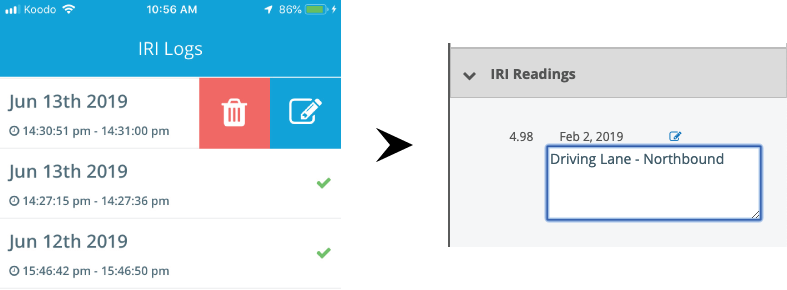
When you upload the log, any IRI value produced from that log will have your note associated with it under the IRI Readings tab on the right hand info panel of the Web Portal. To view your note from the Web Portal, follow these steps from the main map dashboard:
- Reveal the right hand info panel if it is hidden
- Click "IRI Readings"
- Click the pencil icon adjacent to the IRI value you'd like to see the note for
Note you can add/edit notes for IRI values from the Web Portal in the right hand info panel by clicking the pencil icon, then adding/editing the text that appears in the text box.