The sections that appear in your account are based on shapefiles. To import road centreline shapefiles into your account, follow these steps starting from the Settings page:
- Click the Organization tab on the left of the page
- Under the Shapefile heading, click "Import"
- Drag and drop your zipped shapefiles to the space indicated, or press select file to locate the file on your computer

- Map the fields in your shapefile's attribute table to the fields in TotalPave using the prompt that appears.
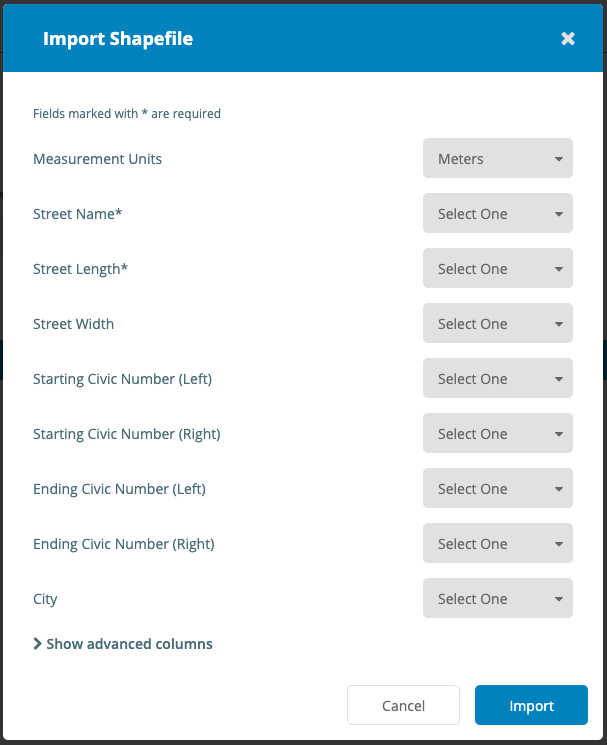
- Click "Import"