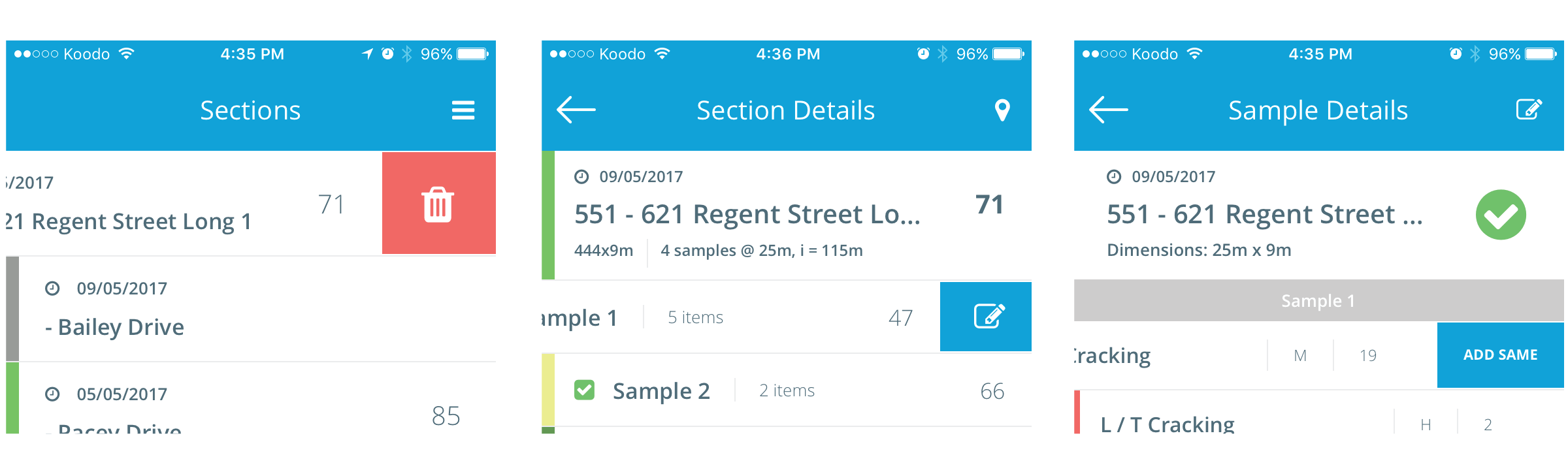
Throughout the app, swipe functions make navigation and surveying more efficient. Swipe right to left on the following list items to reveal additional functionality:
- Main Section List: Swipe to delete section survey data
- Section Details: Swipe a Sample to edit sample details
- Sample Details: Swipe a distress to “Add Same” of the same distress