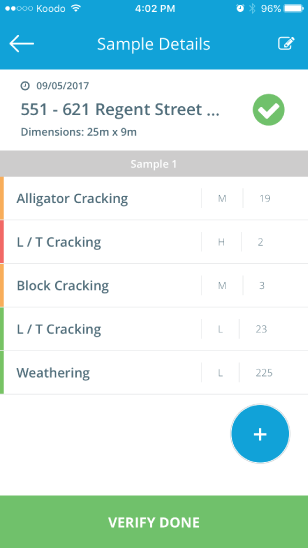
Once you've marked your sample, you need to visually assess the sample to identify any distresses that are present. There are 20 individual distresses each with individual severities and measurements, reference the Distress Manual for more details.
- Classify distress
- Based on visual assessment
- Use pictures in the distress guide
- Rate Severity (Low, Medium, High)
- Usually based on physical measurement of the distress
- Sometimes based on characteristics of the distress like effect on rideability
- Measure Extent
- Generally the length or area of the distress
- Estimate based on surrounding features (road width, sample length, etc.)
- Record the distress in the TotalPave PCI app by clicking the blue "+" button on the Sample Details page
When you've recorded all the distresses present, press Verify Done.
Note:
- Only record distresses that are present inside sample area
- Do not record distresses in the skipped interval
- If you press back instead of "Verify Done" a PCI value will not be calculated