How do I delete a survey?
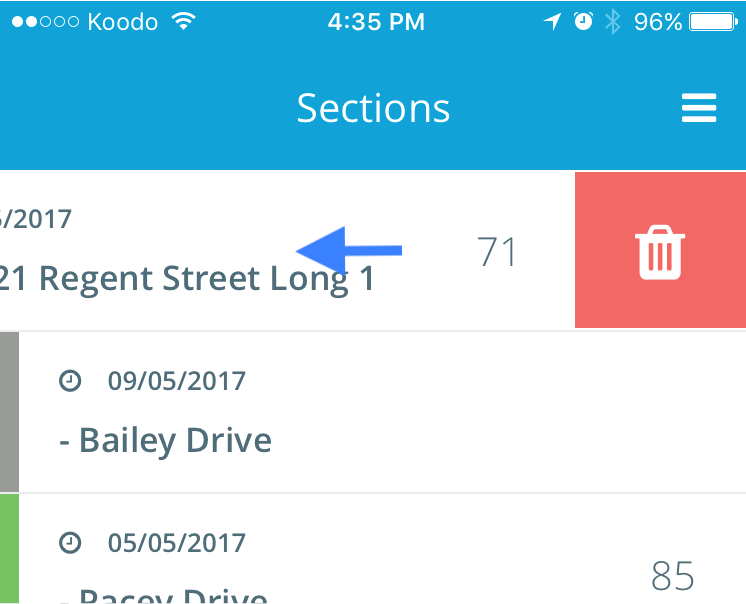
On the main screen, swipe from right to left on the section you wish to delete. Click “Confirm” to delete the section.
How do I delete a distress?
Click on the distress you wish to delete and click “Delete”
How do I edit a distress?
Click on the distress you wish to edit, then alter the distress type / severity / quantity.
Where is the data stored, there’s no option to save?
There is no need to save your survey results, data is automatically sent to our servers and available through your organization’s web portal.
My phone is not connected to a 3G/4G network, will I be able to survey?
A data connection is recommended but not required. As long as you log in to the app and launch the section map with a data connection, you are still able to complete surveys when no connection is available.
Where can I find more information about PCI?
If you require more information about Pavement Condition Index, please reference ASTM-D6433 “Standard Practice for Roads and Parking Lots Pavement Condition Index (PCI) Surveys”.
How do I get an account?
Accounts are created on your organization’s web portal under the “Users” tab in the sidebar. Please contact your TotalPave system administrator for help.